
Your site is
slow. That
costs money.
Every second of load time costs you conversions, rankings, and revenue. I audit your site, find exactly what's slow, and fix it — with a before/after PageSpeed score you can see with your own eyes.
Speed is a Revenue Problem
These aren't abstract technical metrics — they translate directly to lost sales, lower rankings, and customers who leave before your page even loads.
per 1 second of delay
Source: Google Research
a page that takes over 3s
Source: Google / SOASTA
direct Google ranking signal
Since Page Experience Update 2021
What I Fix and How
Every slow site has specific bottlenecks — I find them, fix them, and show you the score improvement.

WordPress Speed Optimization
Plugin audit, image optimization, caching layer (WP Rocket / Redis), database cleanup, theme-level render-blocking fixes, and server configuration for measurable score improvement.
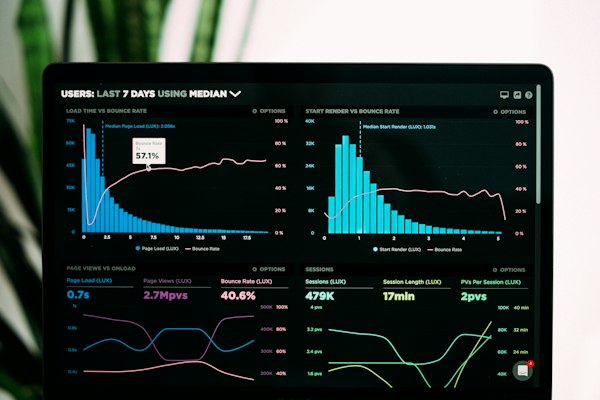
Core Web Vitals Fix
Targeted LCP, CLS, and FID/INP fixes — image preloading, layout shift elimination, JavaScript deferral, and font optimization to pass Google's green thresholds on all three.

WooCommerce Performance
Cart fragment loading fix, product archive page optimization, checkout speed, database query reduction, and object caching for stores with large product catalogues.

Laravel / PHP Optimization
N+1 query elimination with eager loading, Redis caching for expensive queries, queue workers for async jobs, and database indexing for pages slow under real traffic.

React / Next.js Optimization
Bundle size reduction, code splitting, dynamic imports, image optimization with next/image, prefetching strategies, and eliminating render-blocking third-party scripts.

Server & CDN Optimization
CDN setup and configuration (Cloudflare, BunnyCDN), server-side caching (Nginx, Varnish), GZIP/Brotli compression, HTTP/2 push, and server response time (TTFB) reduction.
The 8 Problems I Find Every Time
After dozens of speed audits, the same culprits show up again and again. Here's what kills most WordPress and WooCommerce scores.
Unoptimized Images
5MB hero images served as PNG. No WebP conversion, no lazy loading, no size attributes causing layout shift.
Kills LCP + CLSToo Many Plugins
Each plugin adds HTTP requests, JavaScript, and CSS on every page — including pages where the plugin does nothing.
Kills TBT + LCPNo Caching Layer
WordPress rebuilding every page from database queries on every visitor request with no object or page cache in place.
Kills TTFBRender-Blocking JS & CSS
Scripts in the <head> blocking the browser from rendering the page — the visitor sees a blank screen while scripts load.
Kills FCP + LCPSlow Shared Hosting
Server taking 2–4 seconds just to respond before any content is sent — no amount of caching fixes a slow server.
Kills TTFBNo CDN for Static Assets
Images, CSS, and JS served from a single server location — visitors far from that server wait for every asset.
Kills LCP globallyWooCommerce Cart Fragments
WooCommerce's cart fragment AJAX call fires on every page load — disabling page caching across the entire store.
Kills WooCommerce cacheDatabase Query Bloat
Plugins making 100+ database queries per page, N+1 query patterns in custom code, and missing indexes on large tables.
Kills TTFB + TBTAudit, Fix, Prove It
Every engagement follows the same rigorous process — no guessing, no generic fixes, no vague "optimization."

Find exactly what's slow before touching anything.
Most speed "optimizations" are generic — install a cache plugin and hope. I start with a full diagnostic: PageSpeed Insights, GTmetrix waterfall analysis, Lighthouse detailed report, and real-device testing on mobile.
- PageSpeed Insights scores — mobile and desktop, all metrics
- GTmetrix waterfall — every HTTP request, every blocking resource
- Database query profiling — slow queries, N+1 patterns, missing indexes
- Written audit report with prioritized fixes and expected impact per fix

Implement the fixes in the right order.
Server-level fixes first (TTFB), then caching, then asset optimization, then code-level changes. Doing it out of order wastes effort — fixing images doesn't help if the server takes 3 seconds to respond.
- Server response time (TTFB) and hosting issues addressed first
- Caching layer installed and configured correctly for your stack
- Images converted to WebP, lazy-loaded, sized correctly
- Render-blocking scripts deferred and consolidated

Before and after scores you can verify yourself.
Every engagement ends with a documented comparison — before scores, after scores, and a breakdown of which fix contributed what improvement. You can run PageSpeed Insights yourself to verify every number.
- Before/after PageSpeed Insights screenshots — mobile and desktop
- Core Web Vitals field data improvement (when applicable)
- GTmetrix waterfall comparison — requests reduced, total size reduced
- Written summary of every change made and why
Sites I've Built Fast From the Start
Speed optimization isn't just about fixing slow sites — it's built into every project I deliver. These are examples of performance-conscious builds.

WordPress Builds
Every WordPress site I build ships with Redis object caching, WebP images, deferred scripts, and a CDN config in place — performance is architecture, not an afterthought.
React / Next.js Apps
Next.js SSR/SSG with automatic code splitting, optimized image loading, and prefetching — Core Web Vitals green from day one, not retrofitted after complaints.
Laravel Applications
Including a platform handling 100M+ records — proper indexing, eager loading, Redis caching, and queue workers keep response times fast regardless of dataset size.
Speed Optimization Done by a Full-Stack Developer
Most "speed optimization" services are plugin installers. I'm a full-stack developer — which means I can fix the actual code, not just configure surface-level tools.
Root cause, not symptoms
I find WHY your site is slow — specific queries, specific scripts, specific server configurations — not generic advice about "enabling compression."
Code-level fixes available
I can fix a slow database query, rewrite a render-blocking theme function, or refactor how images are loaded — not just install a plugin and hope.
Before/after proof
Every engagement is documented with actual PageSpeed scores before and after — numbers you can verify yourself with a free Google tool, not vague claims.
Any stack — WordPress, Laravel, React
I optimize across all the platforms I build on — WordPress/WooCommerce, Laravel, React/Next.js. Speed fixes look different on each one.
Top Rated on Upwork, 100% JSS
Public, verifiable track record across 50+ projects — every client's actual rating, not selected testimonials.
US, UK & AU time zones
Available for calls and reviews during your business hours — 10+ countries served without communication friction.
Questions About Speed Optimization
From red to green — with numbers to prove it.
Share your URL and I'll run a free preliminary audit, then come back with a clear plan and honest quote for the full fix.
Session expired
Please log in again. The login page will open in a new tab. After logging in you can close it and return to this page.